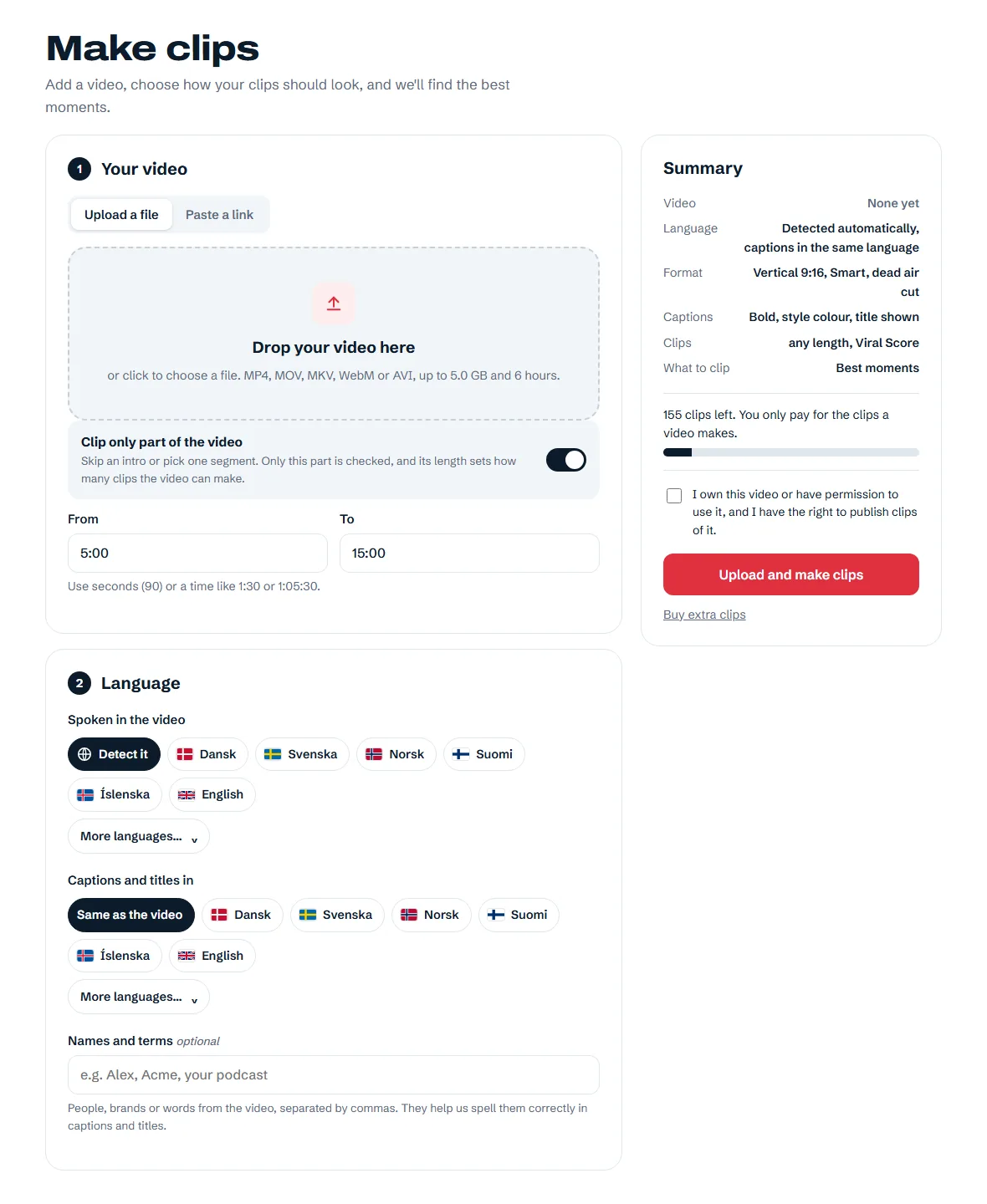
Names and terms
Add people, brands and specialist words to help spell them correctly in captions and titles.
Product tour
Take a look inside NordClip. Here's what you choose, what happens next and what you get back.
These screenshots show the real NordClip interface in English, with example data. Your interface is also available in Danish, Swedish and Norwegian.
01 · Your video
Drop in a video file or paste a public YouTube, Twitch or Kick link. VODs work after the stream has ended.
Each video uses exactly the clips it makes; longer parts can make more clips.
02 · Format and framing
Go vertical for TikTok, Reels and Shorts, or choose wide clips for YouTube. Pick how the original picture fits inside the frame.
Preview the framing before posting, especially after camera cuts.
Wide 16:9 clips are included in Creator, Studio and the free trial.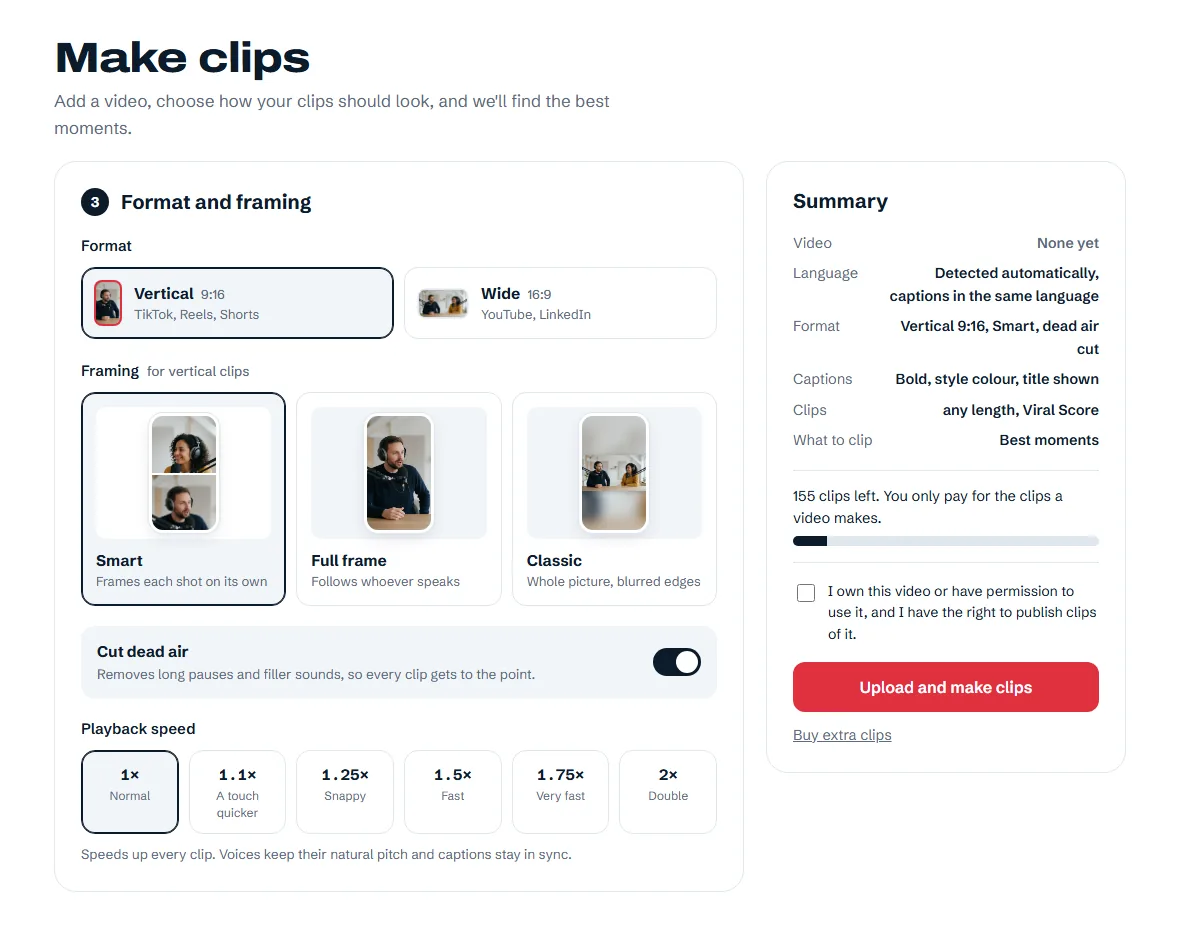
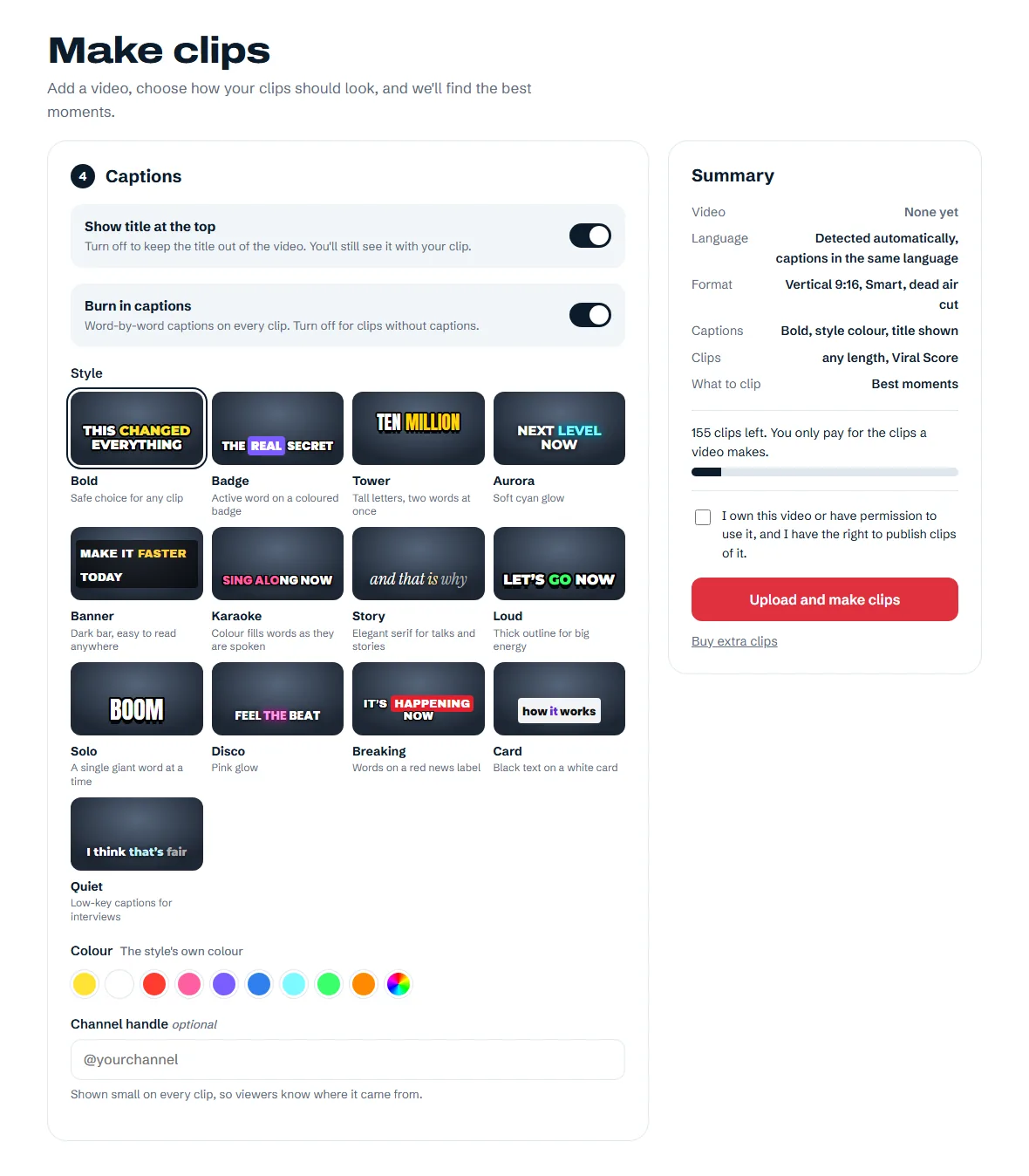
03 · Captions
Pick one of 13 caption styles, use a quick colour or choose your own. Preview the style before you start.
04 · Clips
Leave the topic blank for the best moments, or describe the kind of clip you're looking for. AI looks for a strong opening, a clear idea and a clean ending.
The number you get depends on the worthwhile moments and the lengths you choose. A focused request may return fewer clips.
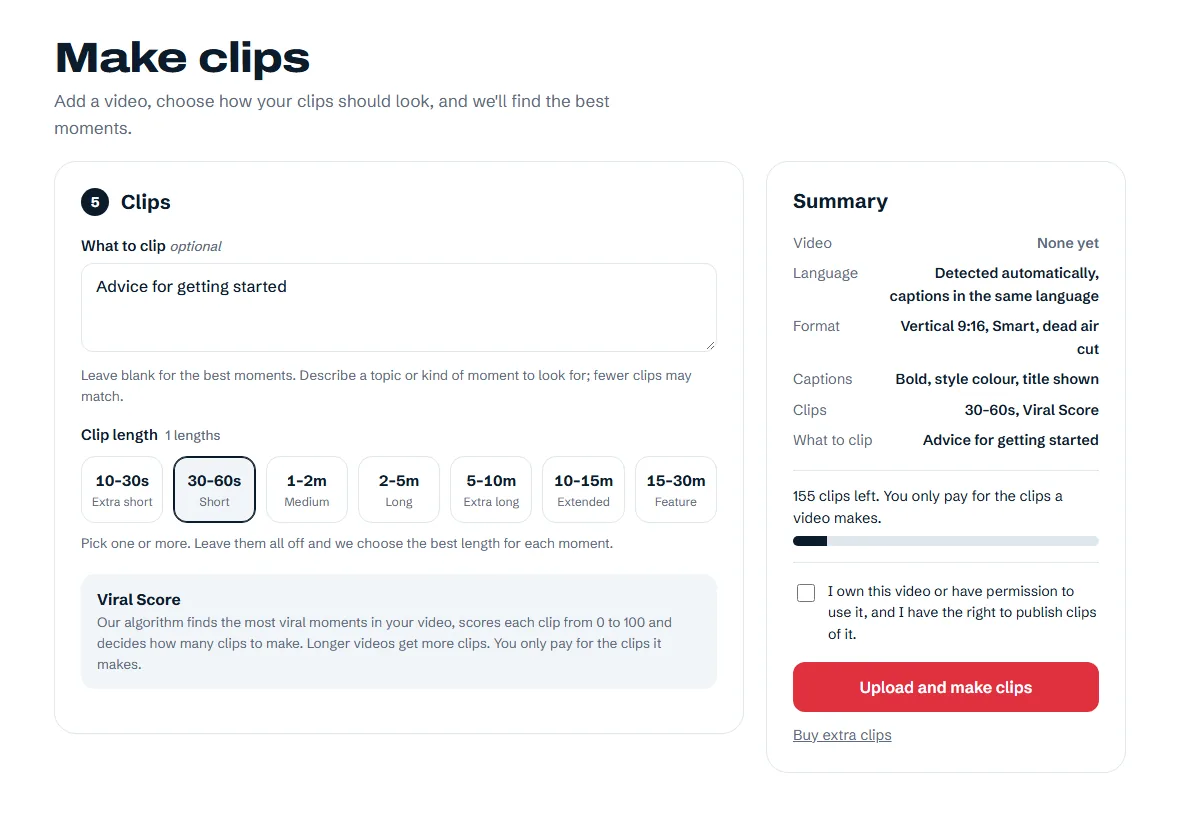
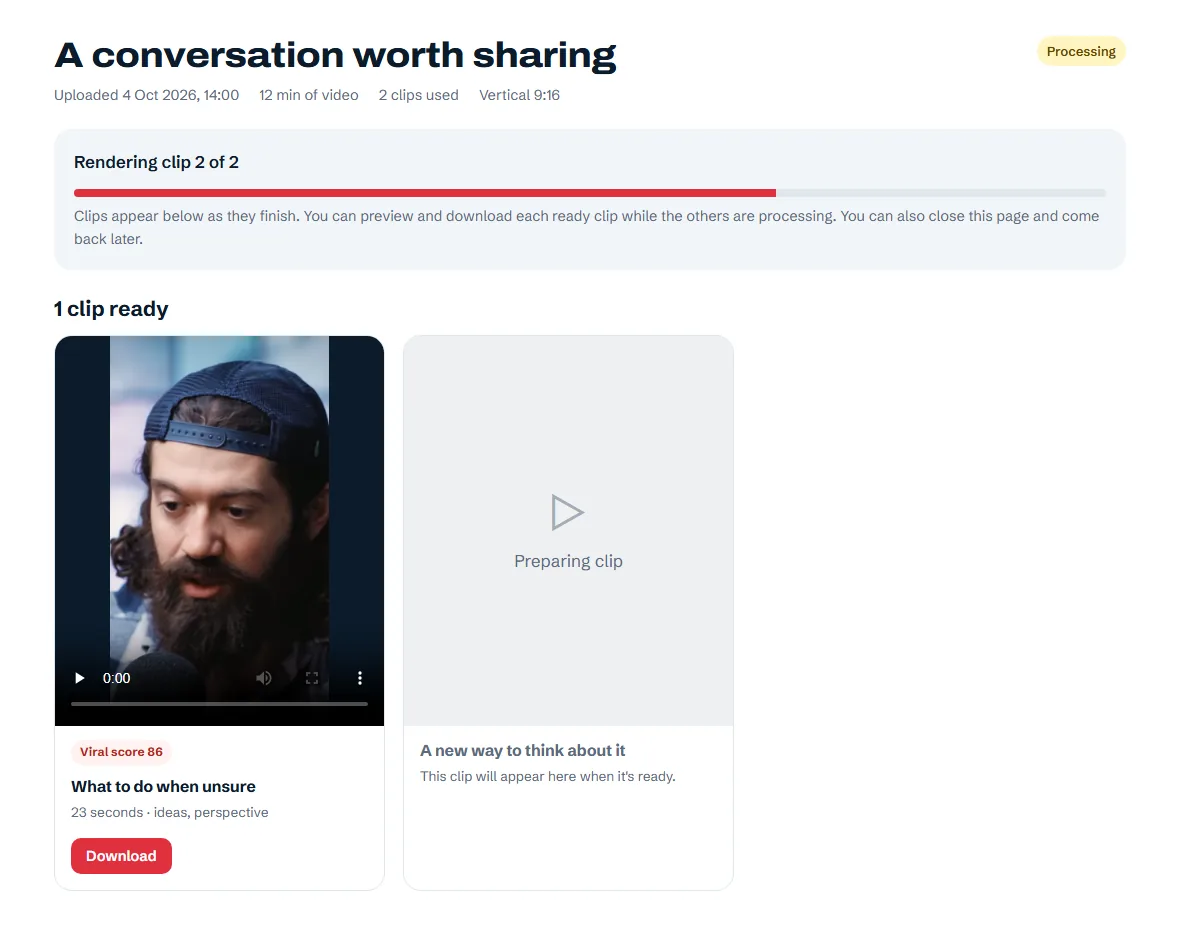
05 · Progress
The video page shows progress while NordClip transcribes, selects moments and renders your clips. Each ready clip becomes playable and downloadable.
Processing time depends on video length and the queue.
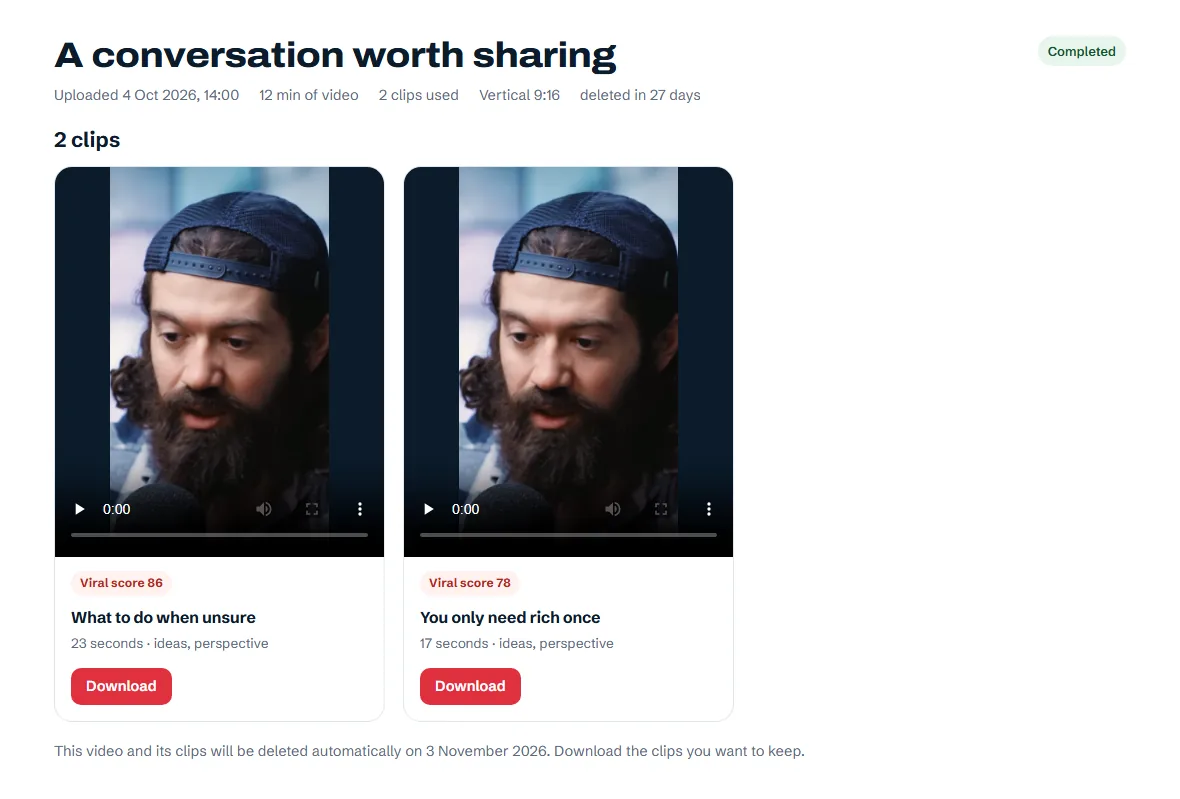
06 · Downloads
Watch your clips, check the captions and framing, then download the MP4 files. Every clip has its own title, duration and tags.
Videos and clips are deleted automatically 30 days after processing finishes. Download what you want to keep, or delete it sooner.
Try 10 clips free for 3 days. No card needed. Trial clips carry a small NordClip watermark.
Make your first clips