Product tour

From your first upload to your next post.

Take a look inside NordClip. Here's what you choose, what happens next and what you get back.
These screenshots show the real NordClip interface in English, with example data. Your interface is also available in Danish, Swedish and Norwegian.

01 · Your video

Start with what you've already recorded.

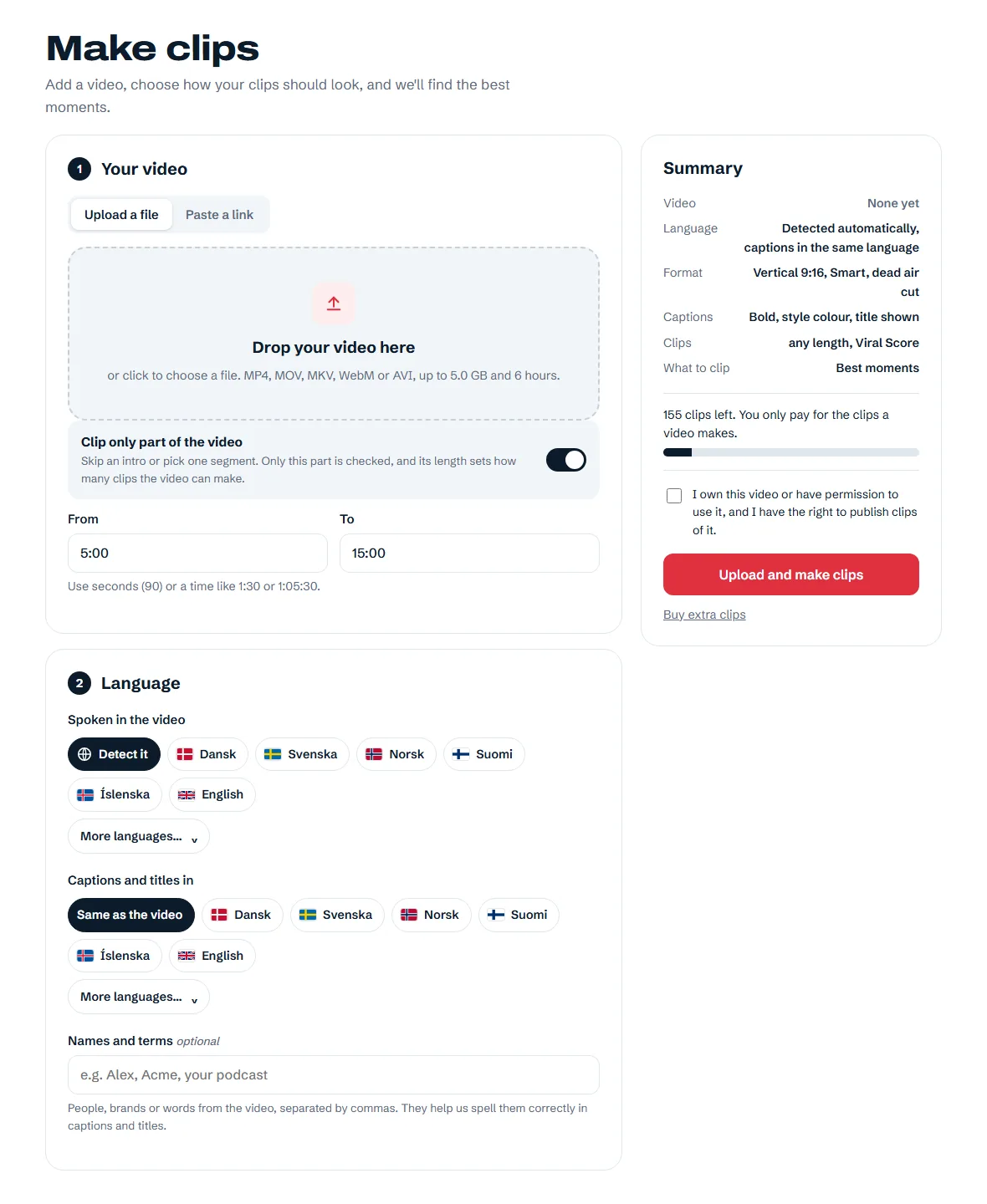
Drop in a video file or paste a public YouTube, Twitch or Kick link. VODs work after the stream has ended.

  • Choose your starting pointUse the whole video, skip the intro or select one useful part.
  • Let the language come throughDetect speech automatically or choose the spoken language. Add names and terms to help with spelling.

Each video uses exactly the clips it makes; longer parts can make more clips.
Your video and languageExample screen
NordClip upload area, selected source range, language choices and clip summary
View full-size screenshot

02 · Format and framing

Give every clip the right shape.

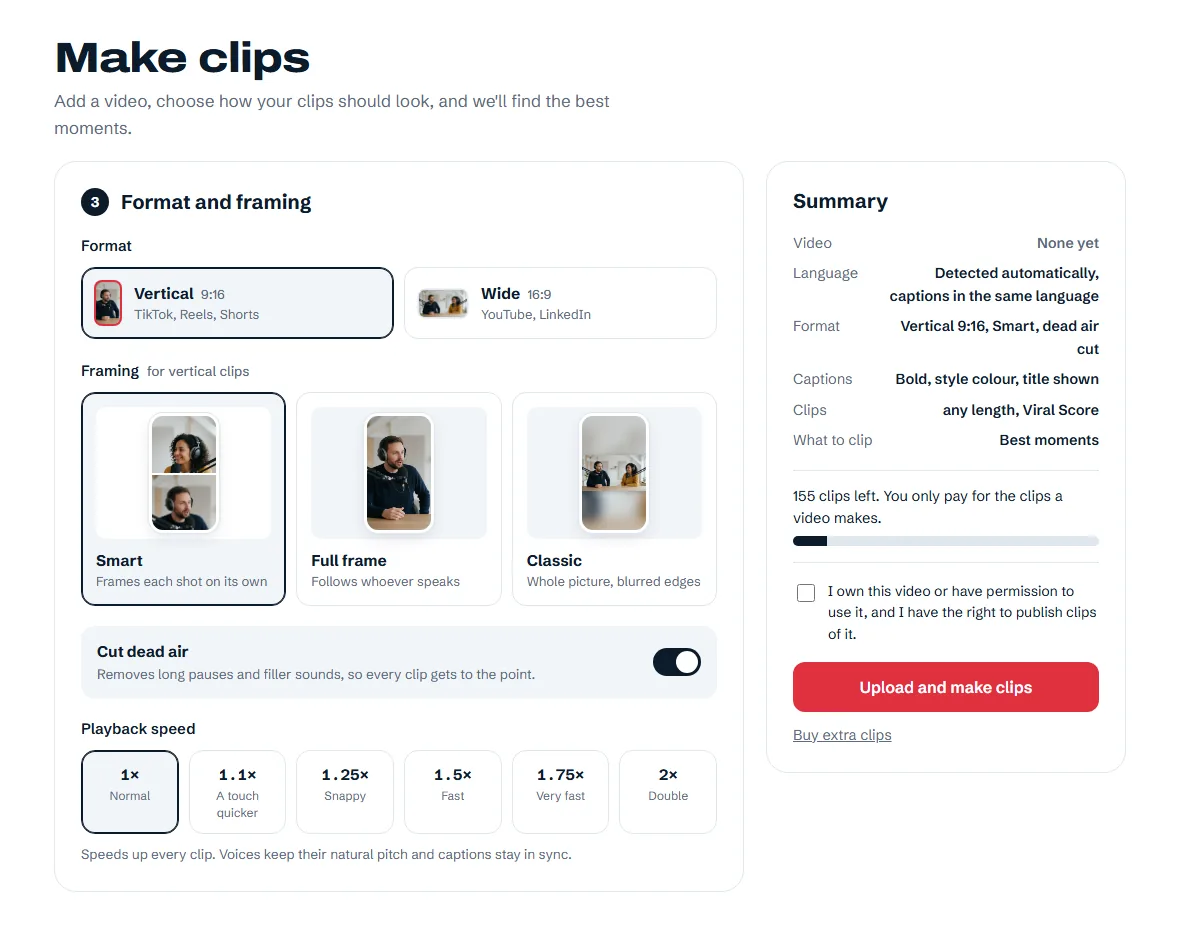
Go vertical for TikTok, Reels and Shorts, or choose wide clips for YouTube. Pick how the original picture fits inside the frame.

  • SmartFrames each shot on its own.
  • Full frameFollows whoever speaks.
  • ClassicKeeps the whole picture with blurred edges.

Preview the framing before posting, especially after camera cuts.

Wide 16:9 clips are included in Creator, Studio and the free trial.
Format and framingExample screen
NordClip format, Smart, Full frame and Classic framing options, dead-air switch and playback speeds
View full-size screenshot

03 · Captions

A look that fits your voice.

Pick one of 13 caption styles, use a quick colour or choose your own. Preview the style before you start.
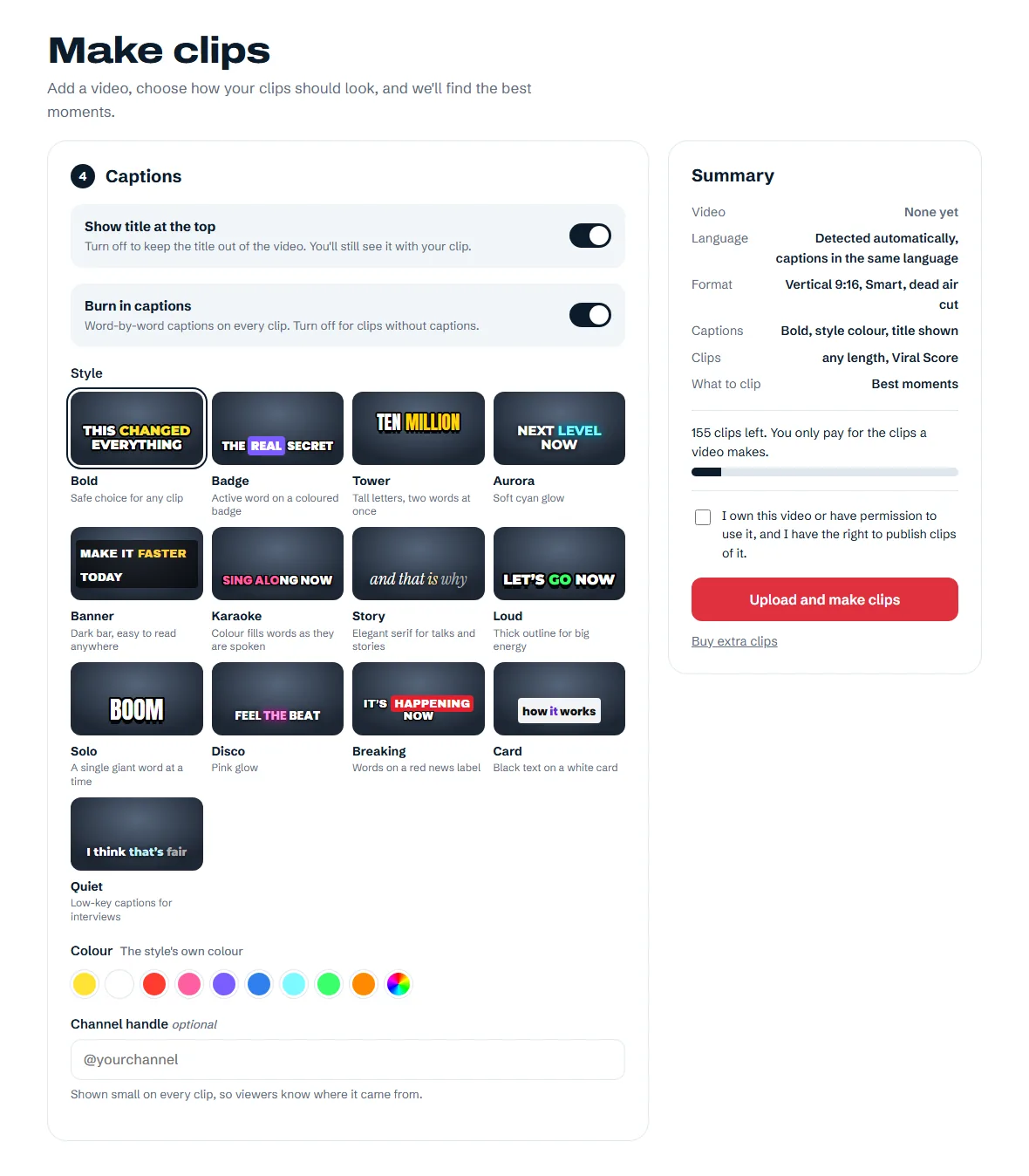
  • Keep your words intactCaptions in the video's language, tuned for Danish, Swedish and Norwegian, including æ, ø, å, ä and ö.
  • Choose what appearsSwitch the title and burned-in captions on or off separately.
Translated captions and your channel handle are included in Creator, Studio and the free trial.
Caption styles and coloursExample screen
NordClip's 13 caption style previews, title and caption switches, colour swatches and channel handle field
View full-size screenshot

04 · Clips

Point us towards the moments you want.

Leave the topic blank for the best moments, or describe the kind of clip you're looking for. AI looks for a strong opening, a clear idea and a clean ending.

  • Choose a lengthPick one or more lengths, from 10–30 seconds to 15–30 minutes, or let AI choose.
  • Viral ScoreViral Score, our algorithm, finds the most viral moments, scores each clip from 0 to 100 and decides how many clips to make: at least 3, more for longer videos.

The number you get depends on the worthwhile moments and the lengths you choose. A focused request may return fewer clips.
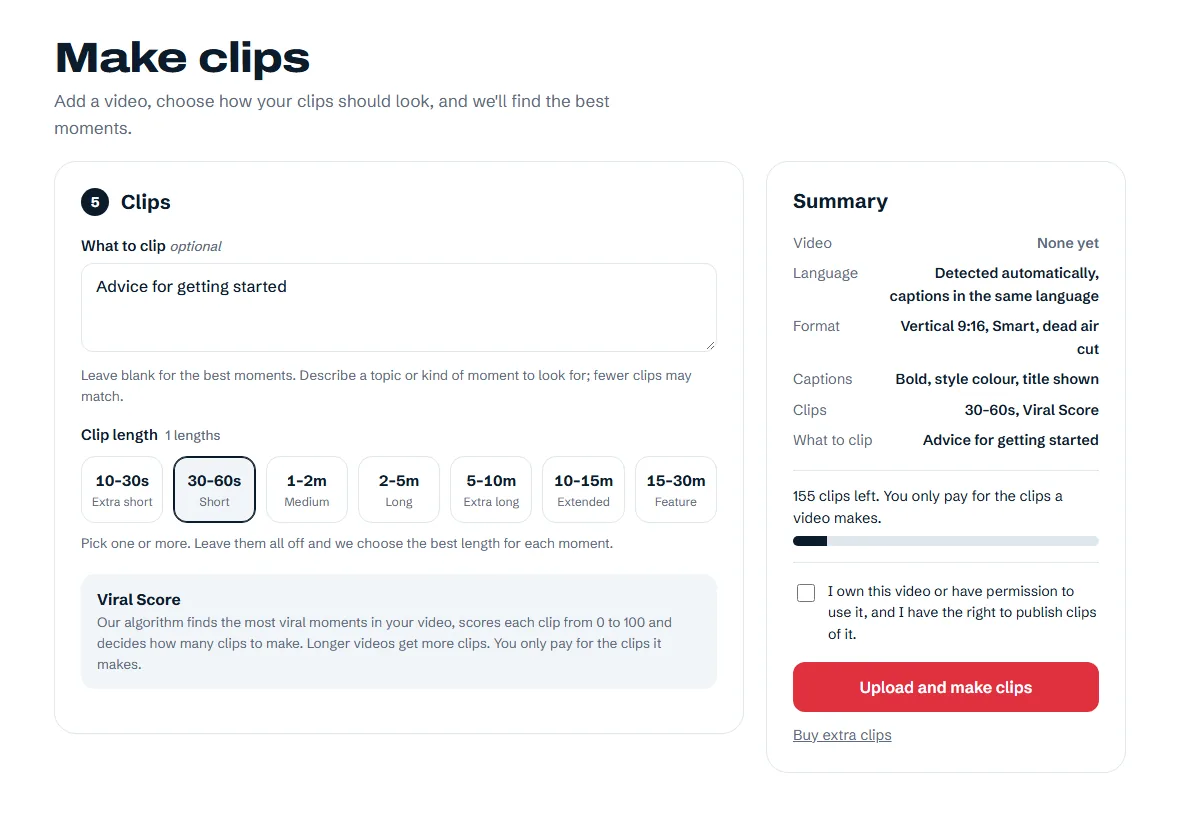
Topics, lengths and clip countExample screen
NordClip topic request, selected 30–60 second clip length and automatic clip-count controls
View full-size screenshot

05 · Progress

See your clips take shape.

The video page shows progress while NordClip transcribes, selects moments and renders your clips. Each ready clip becomes playable and downloadable.

  • Start with the first ready clipPreview and download it while the remaining clips are still processing.
  • Come back when it suits youYou can close the tab and find the video in your account later.

Processing time depends on video length and the queue.
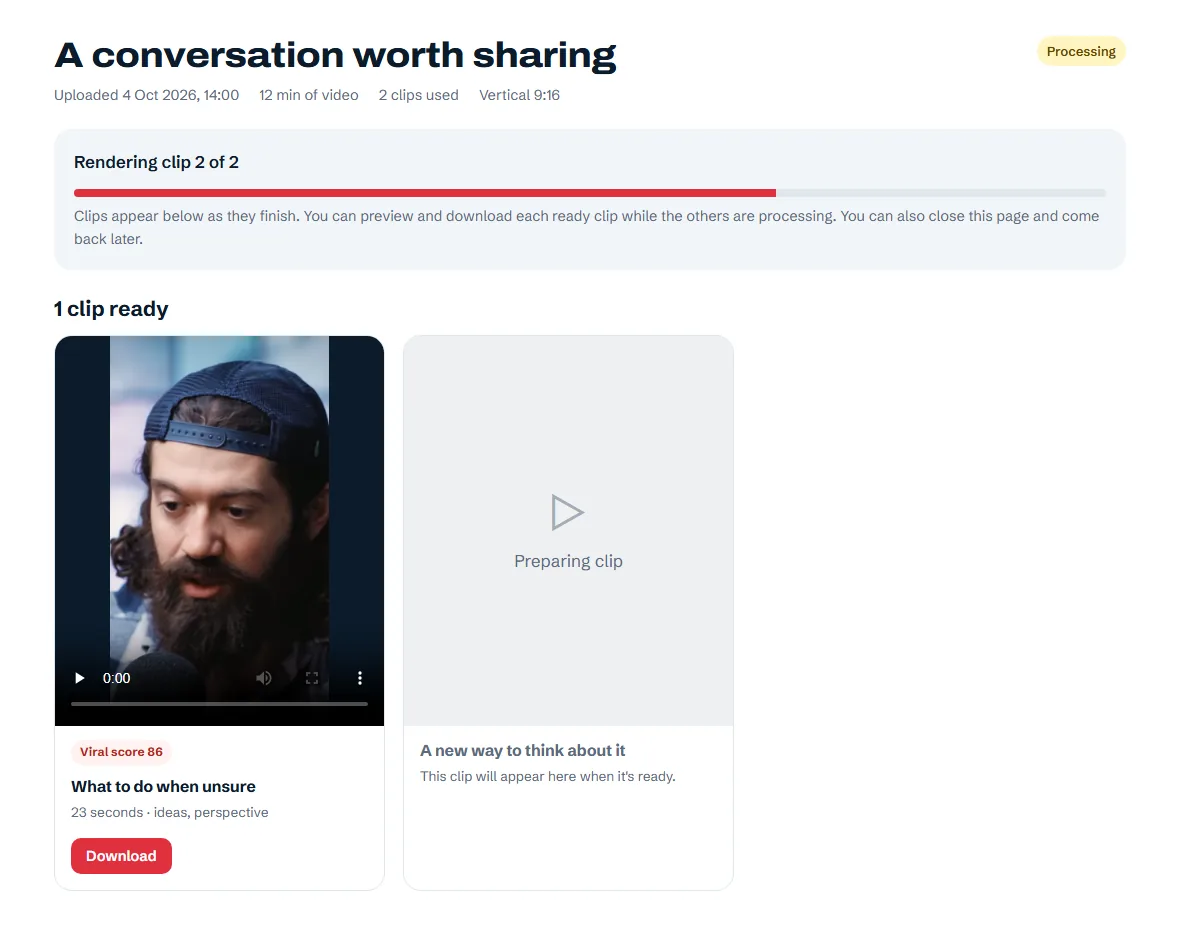
A video in progressExample screen
NordClip progress page showing one downloadable clip and a second clip still being prepared
View full-size screenshot

06 · Downloads

Keep the clips worth sharing.

Watch your clips, check the captions and framing, then download the MP4 files. Every clip has its own title, duration and tags.

  • Ready for your next postDownload names use the clip title. Upload the files to your favourite social platforms yourself.
  • Everything in one placeYour clip library brings together the finished clips from all your videos.

Videos and clips are deleted automatically 30 days after processing finishes. Download what you want to keep, or delete it sooner.
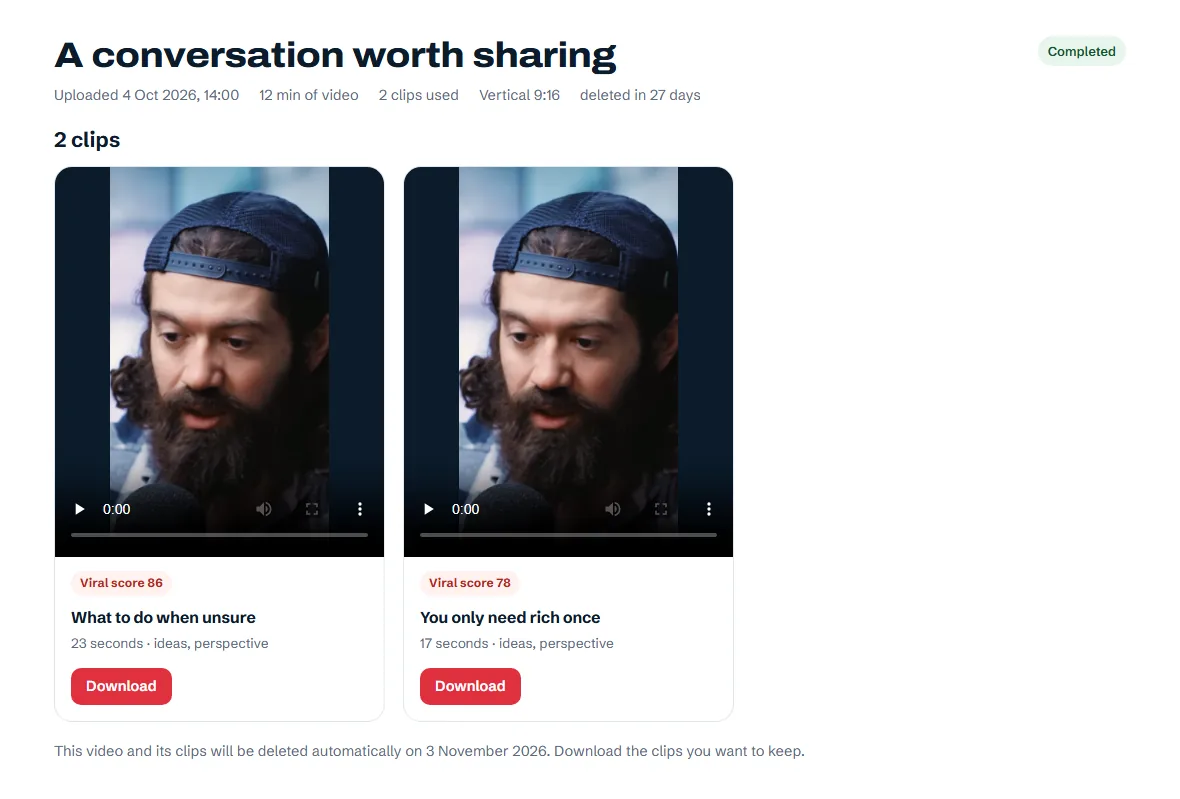
Finished clipsExample screen
NordClip completed video page with two clip previews, titles, durations and download buttons
View full-size screenshot

More options, when you need them

Small choices that make a clip yours.

Names and terms

Add people, brands and specialist words to help spell them correctly in captions and titles.

Cut dead air

Remove long pauses and filler sounds, or keep the natural timing. The choice is yours.

Playback speed

Choose 1× to 2× playback. Voices keep their natural pitch and captions stay in sync.

Translated captions

Choose a different caption language. Captions and titles are translated, with captions following the speech line by line.

Creator · Studio · Free trial

Channel handle

Add your handle to every clip so viewers know where it came from.

Creator · Studio · Free trial

Long wide clips

Wide clips of five minutes or more also include an SRT subtitle file and a YouTube description with chapters.

Creator · Studio · Free trial

Have a video in mind?

Try 10 clips free for 3 days. No card needed. Trial clips carry a small NordClip watermark.

Make your first clips